
MCapital MCP · Indian market data

Research Indian stocks in ChatGPT and Claude.

Connect your AI assistant to Indian equity market data and research with MCapital. Explore companies, sectors and market developments, investigate investment ideas and build your own analysis—all in one conversation.

Sign-in required. No personal API key needed for these connections.

One connection. More context.
01

Start with your question

Explore a company, compare an industry or investigate an idea.

02

Indian equity market data

Your assistant retrieves relevant data through MCapital.

03

Build on the evidence

Follow up, connect insights and develop your own analysis.

NSE & BSE companies · Financials · Filings · IPOs · Research

MCapital MCP is a read-only Indian stock market data server for compatible AI assistants. It connects ChatGPT, Claude and other MCP clients to information on approximately 5,500 NSE and BSE listed companies, including mainboard and SME companies. Coverage varies by company and dataset.

Bring financial statements, valuations, ownership, price history, company disclosures, IPO information and published equity research into the same conversation. Use them together to explore a question, examine the evidence and develop your own conclusions. Model Context Protocol (MCP) lets your assistant request this information during a conversation, instead of relying only on its training knowledge or an uploaded spreadsheet.

From question to research

Start with what you want to know.

Analyse companies

Explore financial performance, cash flow, valuation, ownership and the developments shaping a listed business.

See a company comparison

Compare stocks and sectors

Put companies in context with peer comparisons, industry metrics and sector-level analysis.

Explore sector analysis

Investigate investment ideas

Screen the market using your own criteria, examine the results and ask follow-up questions about what matters to you.

Explore market screens

Understand market developments

Connect company announcements, credit rating changes, fund raises and upcoming events to your research.

Explore announcements

Explore IPOs and equity research

Work through IPO information and MCapital's published notes and recommendations, subject to your plan.

Explore equity research

Study historical outcomes

Use price history to explore trends, compare investment approaches and test how a set of assumptions would have behaved.

Explore research applications

Data you can research

What data does the MCapital MCP server provide?

Explore Indian equity market data, historical prices, financial statements and equity research through MCapital. Financial figures are generally in ₹ crore, prices in INR and market dates in IST. A company can have current prices alongside older financial statements or valuation data.

Financial statements and ownership

Quarterly and annual results, reported statements, ratios, cash flow and shareholding patterns. Banks and NBFCs use lender-specific metrics where available.

Compare companies using the same reporting period and check whether figures are consolidated or standalone.

What to check: The reporting period and any notice that newer results have been filed.
Share prices and price history

Available share-price snapshots and daily or weekly OHLCV history, including the current session when available.

Use available historical prices for return analysis, drawdown comparisons, simulations and strategy tests in your connected AI assistant.

What to check: The quote time and candle date. The time of your question is not necessarily the time of the price.

Valuation and peer comparisons

Available P/E history, P/B where provided, industry comparisons and metrics used by the stock screener.

Compare a company with its own valuation history and with other businesses in its industry.

What to check: The valuation date and comparison period. A lower P/E alone is not evidence of a better investment.

Company announcements and calendar

Company announcements, equity fund raises, filing-day price moves and board-meeting dates. Dual-listed company announcements are deduplicated.

Explore what a disclosure says, what it may mean for the business and what to investigate next.

What to check: The filing date and original document. Keep disclosed facts separate from AI interpretations and estimates.

Credit rating actions and history

Available upgrades, downgrades, outlook changes, instruments, rating history and MCapital credit-health checks.

Follow how a company's rating has changed and read the reasoning behind each action.

What to check: The agency, action date, instrument, rating and outlook. Missing ratings do not prove that a company has no debt.

IPOs and our equity research

Mainboard and SME IPO timelines and available issue data, alongside our published notes and stock recommendations under your account's access rules.

Explore an IPO's key dates or ask for our published research on a company or sector.

What to check: The IPO update date, research publication date and plan access. GMP is an unofficial indicator, not a return forecast.

Coverage reviewed 4 Nov 2026. Availability varies by company and dataset. Ask your assistant to state the date and reporting period of each figure. Missing values should stay missing rather than be estimated.

Available capabilities

Nine tools for Indian equity research.

Describe the task in normal language; your assistant chooses the tools. The same company identifiers connect fundamentals, filings, ratings and research. Tool names are listed here so you can check what the assistant used.

search_companies
Resolve a company by name, NSE symbol, BSE code or ISIN.
get_company
Retrieve selected company sections: financials, ownership, reported statements, prices, filings, ratings, fund raises or research.
compare_companies
Compare up to 20 companies using consistent metric names, with per-company reporting periods and data dates.
screen_stocks
Filter, calculate and rank company metrics; compare against industry or sector groups using your own criteria.
get_market_events
Explore market-wide filings, price movers, rating actions, flags, fund raises and board meetings.
get_sectors
Explore sectors and industries, their metrics and peer context.
get_ipos
Retrieve available mainboard and SME IPO information and linked MCapital calls.
get_research
Retrieve our published recommendations and notes, subject to the connected account's plan.
describe_metrics
Check a metric's meaning, formula, unit and whether it applies to standard companies or lenders.

Screening results and AI summaries are research inputs. MCapital's flags, presets and quick checks reflect our classifications; you can question them, inspect the evidence or use your own criteria.

Inside a real conversation

Follow a question beyond the headline.

What could a credit analyst ask?

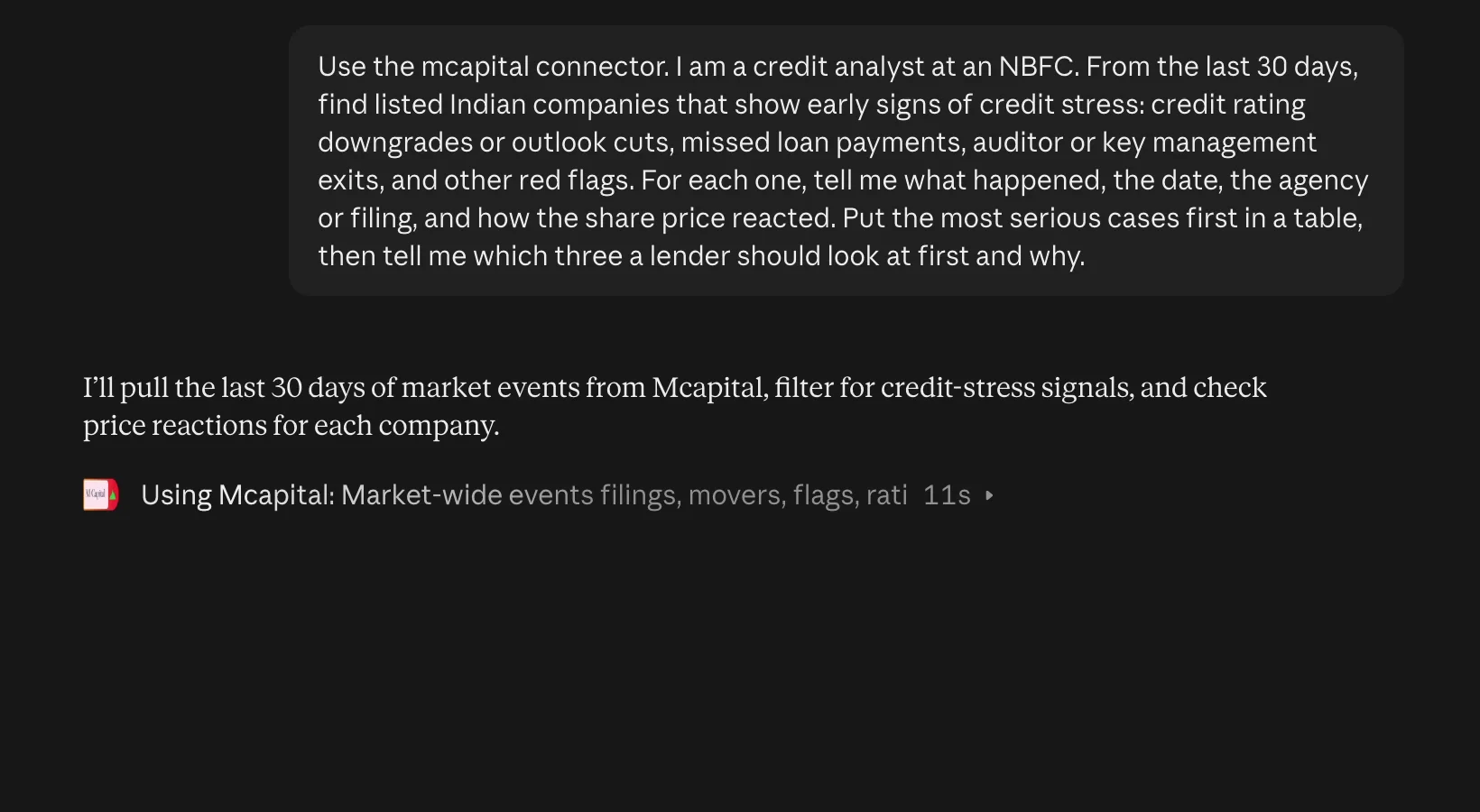
In our recorded Claude walkthrough, we asked for early signs of credit stress among Indian listed companies: rating downgrades, missed payments and changes in management.

The assistant used MCapital to retrieve market events and company information. The same connection lets you ask follow-up questions about the underlying financials and disclosures.

See the rating investigation

Or see the TCS, Infosys and HCL comparison →

Recorded Claude conversation asking MCapital to retrieve Indian company credit stress disclosures
Excerpt from our October 2026 walkthrough. Historical demonstration; answers depend on the data available when you ask.

Make it your research

Take your analysis in different directions.

Start with the question you want to investigate. With MCapital connected to your AI assistant, you can combine different parts of the Indian equity market in one research workflow. These prompts are starting points; adapt the company, criteria, period and follow-up questions to your purpose.

Build a company research brief

Bring financial performance, valuation, ownership and recent developments together.

Use MCapital to prepare a research brief on Larsen & Toubro. Cover its latest available financial performance, cash flow, valuation, shareholding and recent company disclosures. Identify the main questions that deserve closer investigation. State reporting periods and data dates, separate reported facts from interpretation and flag missing information.

Compare businesses and industry peers

Understand how companies differ and which metrics make the comparison useful.

Use MCapital to compare TCS, Infosys and HCL Technologies on growth, profitability, cash flow, valuation and ownership. Add industry context where available. Explain differences in reporting periods or accounting basis, and identify what the headline numbers leave out. Treat the comparison as a starting point for research rather than a buy ranking.

Screen and investigate investment ideas

Turn your own criteria into a shortlist, then examine the underlying businesses.

Use MCapital to screen Indian listed companies for improving revenue, positive operating cash flow and manageable leverage using the available metrics. Show the exact filters and reporting periods used. For a small shortlist, investigate recent disclosures and explain what could challenge the initial screening result. Do not fill missing values with estimates.

Understand a market development

Follow a disclosure through to its business context and the questions it raises.

Use MCapital to find recent significant company announcements and credit rating actions. For each, explain what was disclosed, the relevant date and what it could mean for the business. Link to the original documents, distinguish facts from interpretation and suggest useful follow-up questions. If discussing price movements, do not assume that the disclosure caused the move.

Explore IPOs and published research

Review issue information alongside any MCapital research your account can access.

Use MCapital to review currently available mainboard and SME IPOs. Summarize issue dates and available issue information, then identify any published MCapital notes or recommendations my account can access. Keep IPO facts, our published research and your own interpretation distinct. State when the information was updated and flag gaps.

Explore historical scenarios and strategy rules

Use historical prices for performance analysis, portfolio scenarios, simulations or strategy tests.

Use MCapital to retrieve the available daily price history for TCS over the last three years. Confirm the date range, missing observations and treatment of splits and dividends. Using your analysis or coding tools, compare a 20-day/50-day moving-average crossover strategy with buy-and-hold. Decide signals after the close and execute on the next session. Include transaction costs and slippage, state assumptions, and report total return, maximum drawdown and number of trades. Separate in-sample and out-of-sample periods. Explain unavailable data or calculation tools rather than inventing results.

Availability varies by company, dataset and account access. Your assistant's analysis or coding tools perform calculations using the retrieved data. Check the reporting dates, evidence and assumptions behind an answer; historical tests and simulations do not guarantee future returns.

Access and control

Connected through your MCapital account.

Your account, your access

Sign in to MCapital when you connect. Premium research follows your MCapital plan; your AI assistant's subscription is separate.

Read-only research tools

The connector retrieves market data and research. It cannot place trades, change your account or view your payment details.

You stay in control

Review the connection before allowing access. Disconnect an app at any time from Account → Use our data in AI assistants.

What does MCP access cost, and what are the limits?

Free MCapital account

500 tool calls per 24-hour limit window

Market-data tools and research designated for Free access.

Premium MCapital account

5,000 tool calls per 24-hour limit window

Market-data tools plus Premium research while the subscription is active.

One question can make several tool calls. OAuth connections share an account's allowance across connected apps; personal API keys are limited per key. These are the configured allowances reviewed on 4 Nov 2026. There is no separate MCP purchase step: the connected MCapital account determines research access. Your AI provider's plan requirements and limits are separate.

ChatGPT and Claude use OAuth sign-in. Claude Code and compatible scripts can use a personal API key instead. All nine tools retrieve information; none can submit broker orders or change payment details.

Data coverage and update timing vary by dataset and company. Ask for the reporting period, data date and original source. AI-generated interpretations can contain errors; verify important findings against the disclosure. View MCapital plans.

Good to know

Before you connect.

What is an Indian stock market MCP server?

Model Context Protocol (MCP) is a standard that lets an AI assistant request information from another service. The MCapital MCP server gives compatible assistants tools to retrieve Indian equity market data and research through MCapital during a conversation.

Do I need to code or create an API key?

No coding or personal API key is needed for the ChatGPT and Claude connections in these guides. Add the server URL, sign in to MCapital and approve access. Code clients and scripts can use personal API keys from your account.

Can I run simulations and backtest strategies?

Yes. Ask your connected AI assistant to retrieve available historical price data through MCapital and use its analysis or coding tools to run simulations and test strategy rules. Specify the date range, benchmark, fees and assumptions. Availability and corporate-action treatment should be checked for the chosen data. Historical results do not guarantee future performance.

Is all data real-time?

No. Prices, financial statements, filings and research have different update schedules. Availability also differs by company. Ask the assistant to show the latest available date and reporting period instead of assuming every figure is live.

Does this include Premium research?

Research access follows the MCapital account used to connect. Free accounts have a configured allowance of 500 tool calls per 24-hour limit window; Premium accounts have 5,000 plus Premium research while active. One question may use several calls. ChatGPT and Claude plans and limits are separate.

Can it trade or change my account?

The MCapital MCP tools are read-only research tools. They cannot place orders, modify your account or access your payment details. You can revoke a connected app from your MCapital account.

Can I use Claude Code or another MCP client?

Yes, compatible code clients can use the server with a personal API key. Open Account → Use our data in AI assistants for key creation and command examples. These public guides focus on ChatGPT and Claude's hosted connectors.